"My car has Android Auto and CarPlay, so why do I have to plug my phone in every time? Can't I use it wirelessly?" I hear this question more and more at the workshop, and I completely understand why. You get in, start the engine, leave your phone in your pocket, and your music, sat nav and calls all connect automatically. Brilliant! The trouble is, not every car supports this from the factory, and not every adapter promising wireless Android Auto works as it should. I'll explain your options, what to watch out for and how to avoid wasting money on something that'll only drive you mad later.
Can my car use wireless Android Auto from the factory?
Newer infotainment systems in VW, Audi, Škoda and other Volkswagen Group cars already have wireless connectivity built in. You get in, your phone connects, and that's it. Older systems, though, only support CarPlay and Android Auto through a USB cable. And this is where people get confused. Just because you can see CarPlay on your screen doesn't automatically mean your car supports wireless CarPlay.
A lot of people assume that if the system already displays their phone's apps, there must be some hidden setting they can switch on. Sometimes a factory upgrade is possible, but it all depends on the hardware fitted to your car. It's not something you can fix just by tapping a few buttons on the screen. If you drive an Audi and want to know what your system can do, have a read of CarPlay and Android Auto in Audi.
What are my options for getting rid of the cable?
You've basically got two options. The first is to check whether there's a factory solution available for your car. The second is to use an external wireless adapter. Both can work well, but the difference is how they connect to your car. That's why I always start by checking what equipment is already fitted.
- Factory upgrade or retrofit. If the hardware supports it, the system can be upgraded or retrofitted. The idea is to get everything working as closely as possible to the original factory setup, without adding external devices. This is the option I prefer whenever it's possible. I've explained more about this approach in my article on factory-style retrofits.
- Wireless USB adapter. This is a small device that plugs into the USB port where you'd normally connect your phone. It handles the wired connection to the car and lets your phone connect wirelessly. So you don't have to take your phone out of your pocket every time you get in. Sounds simple, doesn't it? In theory, it is. But in practice, there are a few things you need to know.
What problems can a wireless adapter cause?
You'll find loads of adapters online promising that you can just plug them in and forget about the cable. But I don't like recommending something simply because the box says it's compatible. What matters is how it actually works in your particular car, with your particular phone. Because there's nothing convenient about a system that makes you restart it every few journeys.
- Audio delay and connection dropouts. You put some music on, skip to the next track, and there's a noticeable delay before anything happens. Or your call drops out just when you need it. These are the sorts of problems you can get with wireless adapters. They might seem minor at first, but when you're driving every day, they soon get annoying.
- Your phone gets hot and the battery drains faster. A wireless connection uses more power than connecting your phone with a cable. On longer journeys, you might notice your battery running down more quickly. And if you're constantly using navigation and playing music, it becomes even more frustrating. The cable might be a nuisance, but at least it charges your phone while you're using it.
- Problems after a phone update. Everything works perfectly today. Tomorrow, your phone gets a software update, and suddenly the adapter keeps disconnecting or won't connect at all. That doesn't necessarily mean there's anything wrong with your car. It might simply be that your phone and adapter no longer work together as well as they did before. That's why compatibility matters so much.
What do I recommend: a factory upgrade or an adapter?
If your car supports a factory solution, that's what I'd choose. Not because every adapter is bad, but because I prefer the system to work the way it was designed to work in that car. If there's no factory option, a good-quality adapter can still be a perfectly sensible solution. But I'd want to see it tested in your actual car, rather than just trusting a label on the box saying it works with Audi or VW.
With older Audis, there are other ways to upgrade the infotainment system that are worth looking into before you buy anything. Not every system has the same capabilities, which is exactly why checking first is so important. I've explained more in my article about upgrading the MMI in an older Audi. It's much better to find out what your car can actually support than to spend money guessing.
IMPORTANT! Cheap chargers and poor-quality USB cables are responsible for a lot of the problems owners mistake for a fault with CarPlay or Android Auto. If the connection keeps dropping, your phone isn't recognised or the system starts behaving strangely, don't immediately blame the infotainment system. Check the simple things first.
Tip from Kris Mladenov: Before buying an adapter, get a genuine USB cable and check whether CarPlay or Android Auto works properly with it. If the connection still drops out with a good cable, you need to find out what's causing the problem first. There's no point adding another device to a system that already isn't working properly.
I hope you've found this article useful! If you have, I'd really appreciate you sharing it with a friend who's also wondering how to use wireless Android Auto or CarPlay without plugging their phone in every time. My mission is simple: when I know something useful, I want more people to know it too. Because one quick check at the right time and a bit of good advice can save you a lot of unnecessary headaches. And I'd much rather you got into your car and enjoyed driving it than sat there wondering why something isn't working again.
The solution in our shop
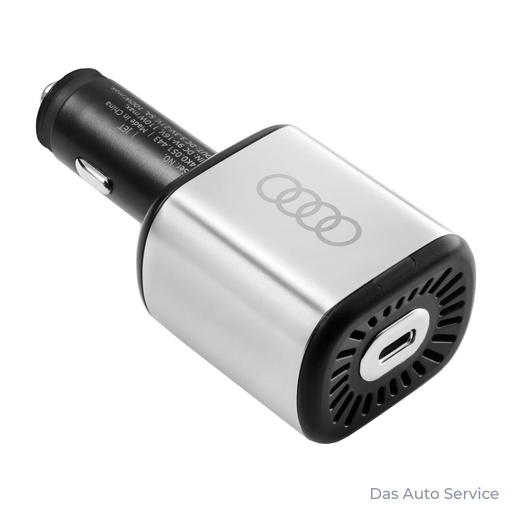
Genuine Audi USB car charger – 100 W. A good option if you want to charge your phone in the car without relying on some cheap, questionable-quality charger.
View in shop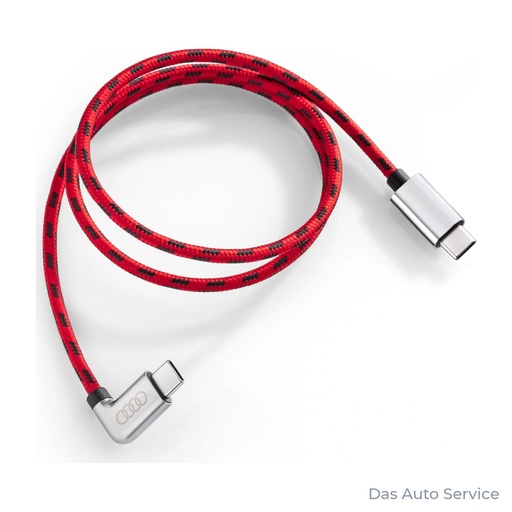
Audi USB Type-C® Power Delivery charging cable
Genuine Audi USB Type-C Power Delivery cable. A good choice if you want a reliable wired connection and charging before you start blaming the infotainment system or spending money on a wireless adapter.
View in shopRead more
- Retrofits
- Audi CarPlay Retrofit: What Are Your Options?
- Audi MMI Update: What Can Be Upgraded?
- Audi Virtual Cockpit Retrofit: Factory-Style Upgrades
Frequently asked questions
Can I use Android Auto without a cable?
Yes, if your car supports wireless Android Auto from the factory or if you use a compatible wireless adapter with its existing wired system. My advice is to check what your infotainment system supports before buying anything.
Do wireless CarPlay adapters work?
Yes, a wireless adapter can turn an existing wired CarPlay connection into a wireless one. But it needs to be compatible with both your car and your phone, so I recommend testing it before you buy it.
Can wireless CarPlay be added to an Audi?
Some Audi models can be upgraded or retrofitted to support wireless CarPlay, provided the hardware allows it. On others, the solution is an external wireless adapter that works with the car's existing wired CarPlay system.