You get into your Golf 8, start the engine, set off and suddenly the screen freezes. You tap it, swipe it, wait a bit – nothing. Or even better, the infotainment system decides to restart itself while you're driving. Your phone disconnects, the climate controls stop responding and you start wondering whether you've bought a computer on wheels. Golf 8 infotainment problems are something plenty of owners search for when they've had enough of these little surprises. I'm Kris Mladenov, and I'll explain why this happens, what you can try yourself and why most of these complaints on the Golf 8 have one main solution – up-to-date software.
Why does my Golf 8 screen freeze and restart?
In the Golf 8, the infotainment system isn't just a radio with a big screen. You use it to control all sorts of things in the car, so when it starts playing up, you notice it much more than you would in an older car. Sometimes the screen freezes for a few seconds. Other times it goes completely black. And sometimes everything looks perfectly fine until you try to press something. The most annoying part? The problem can disappear on its own, only to come back later.
- The screen freezes or goes black. You press the buttons, but nothing happens. A little while later, it might start working again as though nothing ever happened.
- The system restarts while you're driving. You're listening to music or using the sat nav when suddenly the screen goes black and the whole system starts loading again.
- Your phone keeps disconnecting. Wireless CarPlay or Android Auto drops out, refuses to connect or works only when it feels like it. If you'd like to understand these systems better, have a read of CarPlay and Android Auto.
- The steering wheel buttons or climate controls stop responding. You press something, but the car ignores you. That's more than just annoying, especially when you're trying to adjust something while driving.
Now, here's something important. Just because the screen freezes doesn't automatically mean it's faulty and needs replacing. On the Golf 8, many of these problems are software-related. In other words, they're caused by the program that runs the infotainment system. Think about your phone when an app freezes. You don't replace the whole phone, do you? You check whether restarting it or installing an update sorts things out first.
How can I fix Golf 8 infotainment problems?
The first thing I want to tell you is not to rush into replacing parts. There are several things worth checking before we even start talking about a new screen or control module. You can do some of them yourself. Others need proper diagnostics. And the order matters, because there's no point taking your car apart if a software update could solve the problem.
- Start with a restart. Press and hold the infotainment power button for around 10–20 seconds. This forces the system to restart and often helps when the screen has frozen. But remember, a restart might get everything working again without actually fixing whatever caused it to freeze in the first place.
- Check whether the software is up to date. Software updates for the Golf 8 have fixed many of the known freezing, restarting and infotainment issues. That's why I'd always check the software version before even thinking about replacing parts. Not every update is suitable for every car, though, so you need to check what's available for your particular vehicle.
- Check the battery. Low voltage can make a car's electronics behave in some very strange ways. The screen freezes, the system restarts and you start looking for some complicated fault, when the real problem could simply be the power supply. That's why checking the condition of the battery is something you shouldn't skip.
- Read the fault codes from every control module. It's not enough for someone to plug in a diagnostic tool, look at the infotainment system alone and tell you there's nothing wrong. We need to check what faults have been stored throughout the car's electronics. That helps us work out whether the problem is in the infotainment system itself, the power supply or something else that needs investigating.
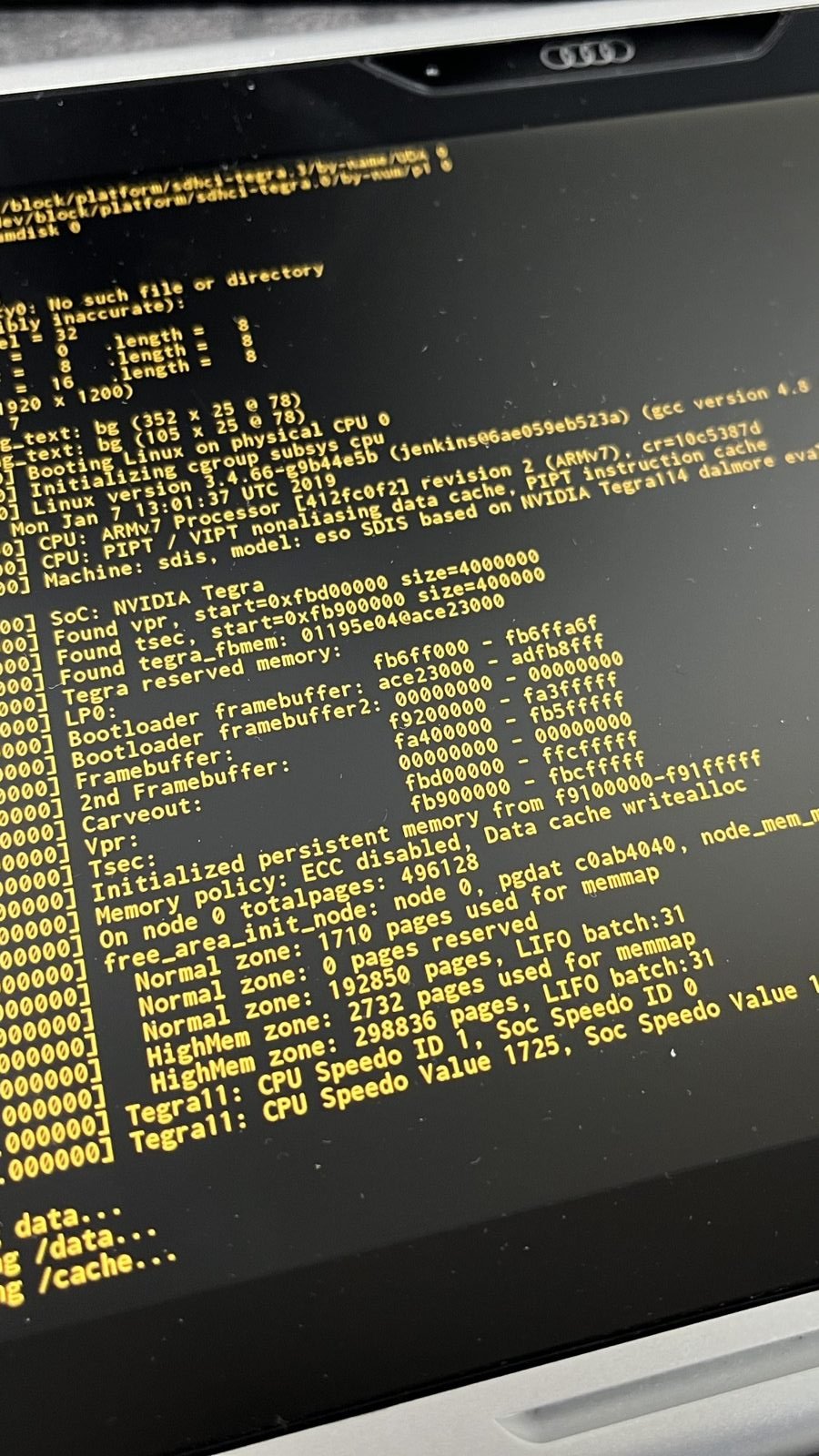
That's exactly how we approach things at Das Auto Service – diagnose first, decide what needs doing second. Updating the software requires the right diagnostic tool and online access. It's not a case of downloading some random file from the internet, putting it on a USB stick and hoping for the best. We're dealing with your car's electronics here, and that's not something I like experimenting with.
What mistakes should I avoid when fixing the infotainment?
The biggest trap is replacing parts before anyone has checked the software. The screen freezes and straight away someone assumes the control module must be faulty. But if the real cause is an outdated software version, that new part was never needed in the first place. This is something that really frustrates me about our trade. We replace things first and think afterwards. It should be the other way round.
- Replacing control modules without checking the software. Before replacing anything, we need to establish whether a software update could fix the problem. Otherwise, you risk paying for a part you didn't actually need.
- Coding changes from unverified sources. You'll find all sorts of suggestions in groups and forums about activating or changing features in your car. But not every coding change is suitable for your particular vehicle. I've explained more in my article about what you can and can't code.
WARNING! Never interrupt a software update. Don't switch the system off, and don't let the battery run flat while the update is in progress. One interrupted update can turn an annoying frozen screen into a much more serious problem.
There's something I really want you to remember. When someone tells you that your infotainment system needs replacing, ask whether they've checked the software and read the fault codes from every control module. If they haven't, they don't know enough yet to reach that conclusion. I'm not saying electronic control modules never fail. Of course they do. I'm saying we need to prove a part is faulty rather than simply assume it is.
Tip from Kris Mladenov: Every time you have your Golf 8 serviced, ask for a check to see whether any new software is available. As far as I'm concerned, that's now part of looking after your car properly, not something we should only think about when the screen starts freezing. If you drive an older Audi, have a look at what can be updatedas well. Don't wait for the electronics to start playing up before giving them some attention.
I hope you've found this article useful! If you have, I'd love you to share it with a friend who drives a Golf 8 and can't work out why the screen keeps freezing. My mission is simple – when I know something useful, I want more people to know it too. Because checking something at the right time can save you a lot of headaches and unnecessary expense. And remember, the money you spend on a repair you never needed comes out of your pocket, not the pocket of the person who recommended it.
Read more
- Electrical faults and control modules
- Diagnostics
- VAG Coding: What Can and Cannot Be Activated
- Audi CarPlay Retrofit: What Are Your Options?
- Audi MMI Update: What Can Be Upgraded?
Frequently asked questions
How do I restart the Golf 8 infotainment screen?
Press and hold the infotainment power button for around 10–20 seconds. The system will restart, but if the problem keeps coming back, you need to find out what's causing it.
Why does my Golf 8 infotainment system keep freezing?
Software is often the cause, but low battery voltage can also create problems. That's why the first things to check are the software, the power supply and any stored fault codes.
Are there software updates available for the Golf 8?
Yes, software updates for the Golf 8 have resolved many of the known problems. Whether there's a suitable update for your particular car needs to be checked.